Price software projects
with confidence

Set role-based rates, model fixed-price and T&M side by side,
and compare MVP vs full-scope budgets — all from one estimate.

Pricing tools that protect
your margins

Start free for 14 days

Role-based rate cards that reflect your real margins

Define hourly or daily rates per role — frontend, backend, QA, DevOps, PM. devtimate applies your rates to every task automatically. When you change a rate, the entire project cost recalculates. Your pricing always reflects actual team costs and target profit margins.

Fixed-price vs T&M — model the same project both ways

Fixed-price contracts give budget certainty but include a 15–30% risk buffer. Time-and-materials offers flexibility but requires client trust. devtimate lets you price the same scope both ways from one estimate — so clients compare total cost, hourly breakdown, and risk tradeoffs side by side.

Min-max cost ranges that protect your margins

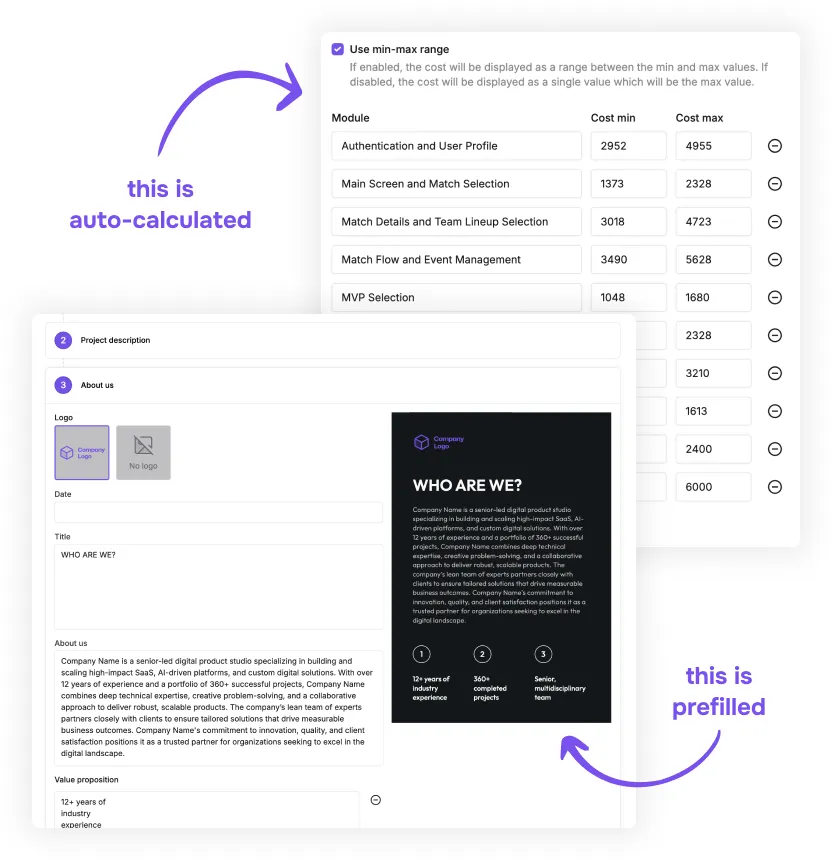
Every task estimate includes optimistic and pessimistic hours. devtimate multiplies both by your rates and shows cost ranges at task, module, and project level. Clients see transparent pricing. You avoid the trap of a single number that always changes.

Cost breakdown by module, role, and phase

See exactly where the budget goes. devtimate breaks total cost into modules (auth, dashboard, API), roles (who does what), and phases (MVP vs full). Use these breakdowns to negotiate scope with clients or justify pricing in proposals.

How software project
pricing works in devtimate

Set up your rate card

Define hourly or daily rates for every role on your team — senior developer, junior developer, QA, DevOps, designer, PM. Rates are saved to your workspace and applied automatically to every new estimate. Change them anytime.

Rate per role

Team composition

Margin control

Hourly or daily

Set up your rate card

See costs calculated
automatically

As you build the estimate — or after AI generates it — devtimate multiplies hours × rates for every task. Costs roll up by task, module, role, and total project. Min-max hour ranges produce min-max cost ranges automatically.

1

Task-level cost = hours × rate

2

Module rollup with subtotals

3

Project total with min-max range

See costs calculated 
automatically

Compare pricing scenarios

Use visibility toggles to create scenarios from the same estimate — full scope, MVP, phased delivery. Each scenario calculates its own cost total.

Present clients with clear budget options: "Full product: $120K–150K" vs "MVP: $45K–60K."

Scenario comparison

Toggle modules on/off to model MVP, phased, or full-scope budgets from one estimate

Cost distribution

Identify where the budget concentrates — by module, role, or project phase

Compare pricing scenarios

Send a priced proposal

Turn the cost breakdown into a branded PDF proposal. devtimate fills in totals, role rates, and cost summaries automatically.

Clients see professional pricing backed by a transparent scope — not a number in an email.

Current integrations

Don’t see your integration?
Contact us - we’ll add it!

Send a priced proposal

Spreadsheet pricing
breaks under pressure

Start free for 14 days

Pricing a project in a spreadsheet is fragile

One wrong cell reference and the entire quote is off. Rates get hardcoded, formulas break when rows are added, and nobody knows which version is current. Spreadsheets were not designed for multi-role, multi-module cost calculations.

Different people apply different rates

Without a shared rate card, every PM prices projects differently. One uses last quarter's rates, another rounds up "just in case." Inconsistent pricing confuses clients and erodes margins over time.

A dedicated tool keeps pricing consistent

devtimate stores your rate card centrally and applies it to every estimate automatically. Costs update when hours change. Scenarios let you model budgets without duplicating spreadsheets. The price is always correct because the math is always the same.

Pricing for software
project
estimation tool

Try it free for 14 days. No credit card required.

Join as an early adopter!

Get special early adopter pricing and direct support from our team. We work closely with early users to shape the product.

14 DAYS TRIAL

TRIAL

for 14 days

What's included

Up to 10 users

Unlimited project estimates

Reusable templates and library

Unlimited AI-Powered Estimates

Access to AI Agent

Branded proposals

Export to external tools

Try it now!

PRO

$180

per month

What's included

Up to 10 users

Unlimited project estimates

Reusable templates and library

Unlimited AI-Powered Estimates

Access to AI Agent

Branded proposals

Export to external tools

Go Pro!

ENTERPRISE

from

$500

per month

What's included

Everything in Pro

Unlimited users

Self-hosted deployment option

Priority support

Private Slack channel for team

Priority in product roadmap

Data migration assistance

Live team onboarding

Contact us

Software project estimation
resources & guides

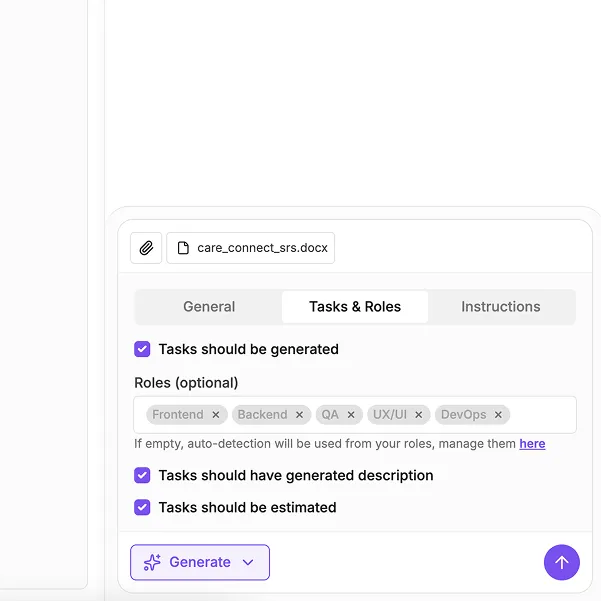
AI-generated project estimates

AI-generated project estimates

Generate complete project scope with modules, tasks, and hours from requirements documents using AI.

Estimation resources & guides

Estimation resources & guides

Best practices for software cost estimation, pricing strategies, and project budgeting guides.

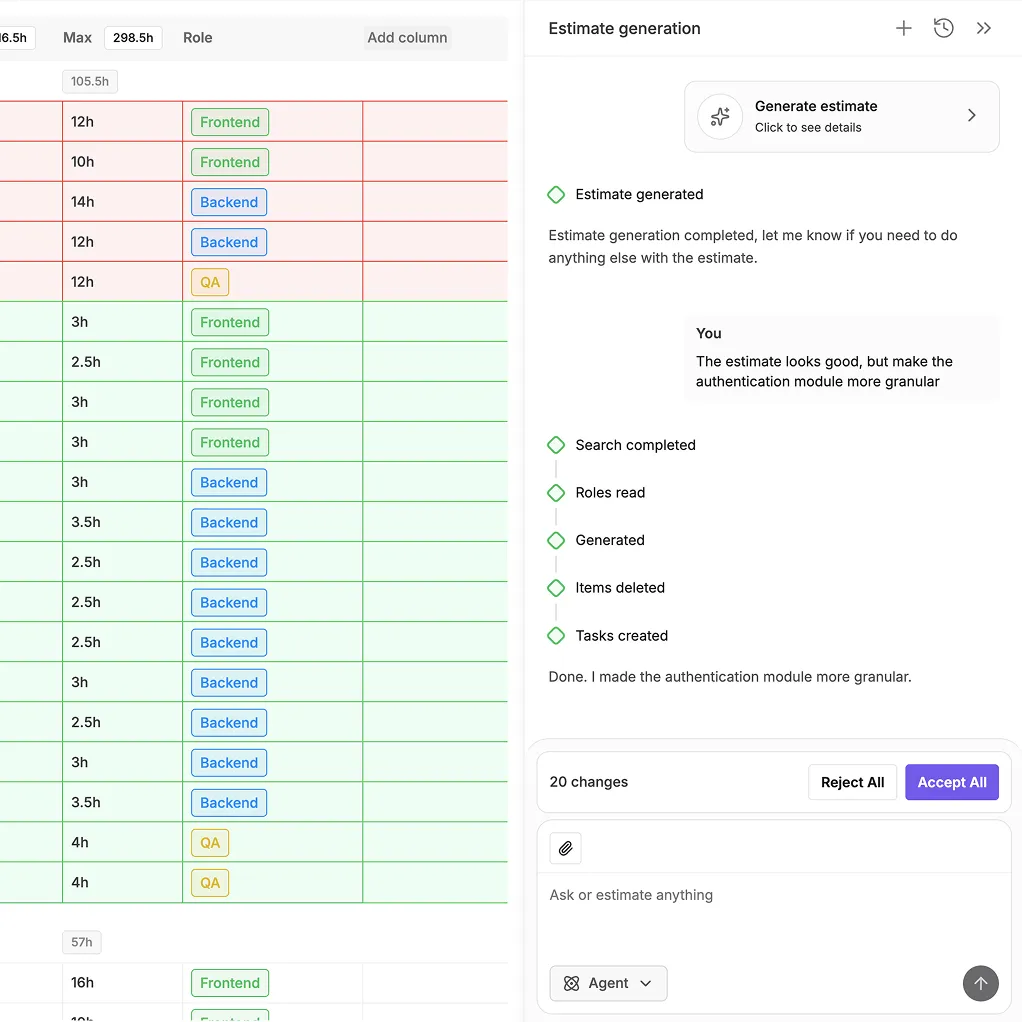
AI Agent for estimates

AI Agent for estimates

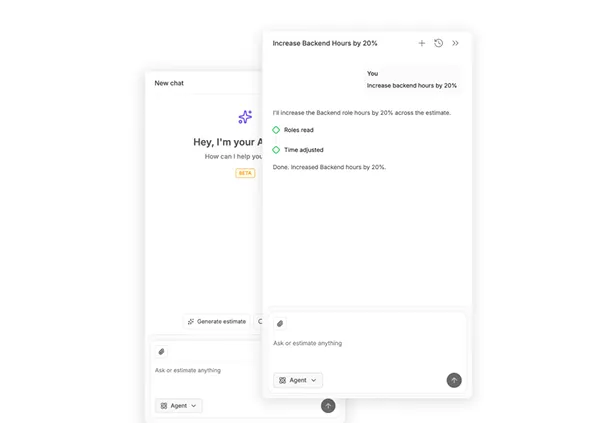
Modify cost estimates with natural language. Adjust rates, recalculate budgets, and update scope instantly.

FAQ about
project pricing

Every task has assigned hours (min-max range) and a role. devtimate multiplies hours by the hourly rate you set for that role. Costs roll up from task → module → project. Change a rate or hour value and the total recalculates instantly.

Yes. The same estimate produces both models. Fixed-price uses the max-hour total plus a risk buffer (typically 15–30% for unknowns). T&M shows the hourly breakdown per role so the client pays for actual work. Many agencies present both options — fixed-price for budget certainty, T&M for scope flexibility. devtimate calculates both from one estimate.

Each estimate has its own rate settings. Copy an estimate, adjust the rates, and the cost recalculates for the new client. Your default rates are saved at workspace level, but you can override per project.

Use visibility toggles to create an MVP scenario — hide non-essential modules and the cost drops automatically. Show the client "full scope: $120K" vs "MVP: $55K" side by side. The scope behind each price is transparent.

The proposal builder supports tax configuration. In the estimate itself, costs are hours × rates. You control margins through your rate card — set rates that include your overhead, or add margin in the proposal step.

Yes. The cost breakdown shows totals by role across the entire project. If backend is 60% of the budget, you see it immediately. Use this to optimize team composition or justify pricing to clients.

Use fixed-price when scope is well-defined, the project is small to medium, and the client needs budget certainty. Use T&M when requirements are likely to change, the project is complex or long-running, or the client values flexibility over predictability. If unsure, present both — devtimate makes this easy.

This page focuses on how devtimate handles pricing methodology — rate cards, cost models, and budget scenarios. The software development cost calculator page covers the broader question of what drives software development costs and how to estimate them.

Let's talk!

If you have any questions, contact us.

We usually reply within the same day
or the next business day. Thank you!

Dashboard

Set up your rate card
and price projects in minutes

Role-based rates, cost scenarios, and branded proposals.
14-day free trial, no credit card.

Try it now!