How to estimate a
software project properly

The complete estimation process — from a vague client brief
to a structured scope with tasks, roles, hours, and pricing.

Trusted by software teams worldwide

What a good estimation
process looks like

Start free for 14 days

Start with a brief, end with a structured scope

Most projects begin as a vague brief or client email. The challenge is turning that into a structured estimate with modules, tasks, and hours. This page walks through the complete process — from raw input to a reviewable, client-ready scope.

Break features into tasks before estimating hours

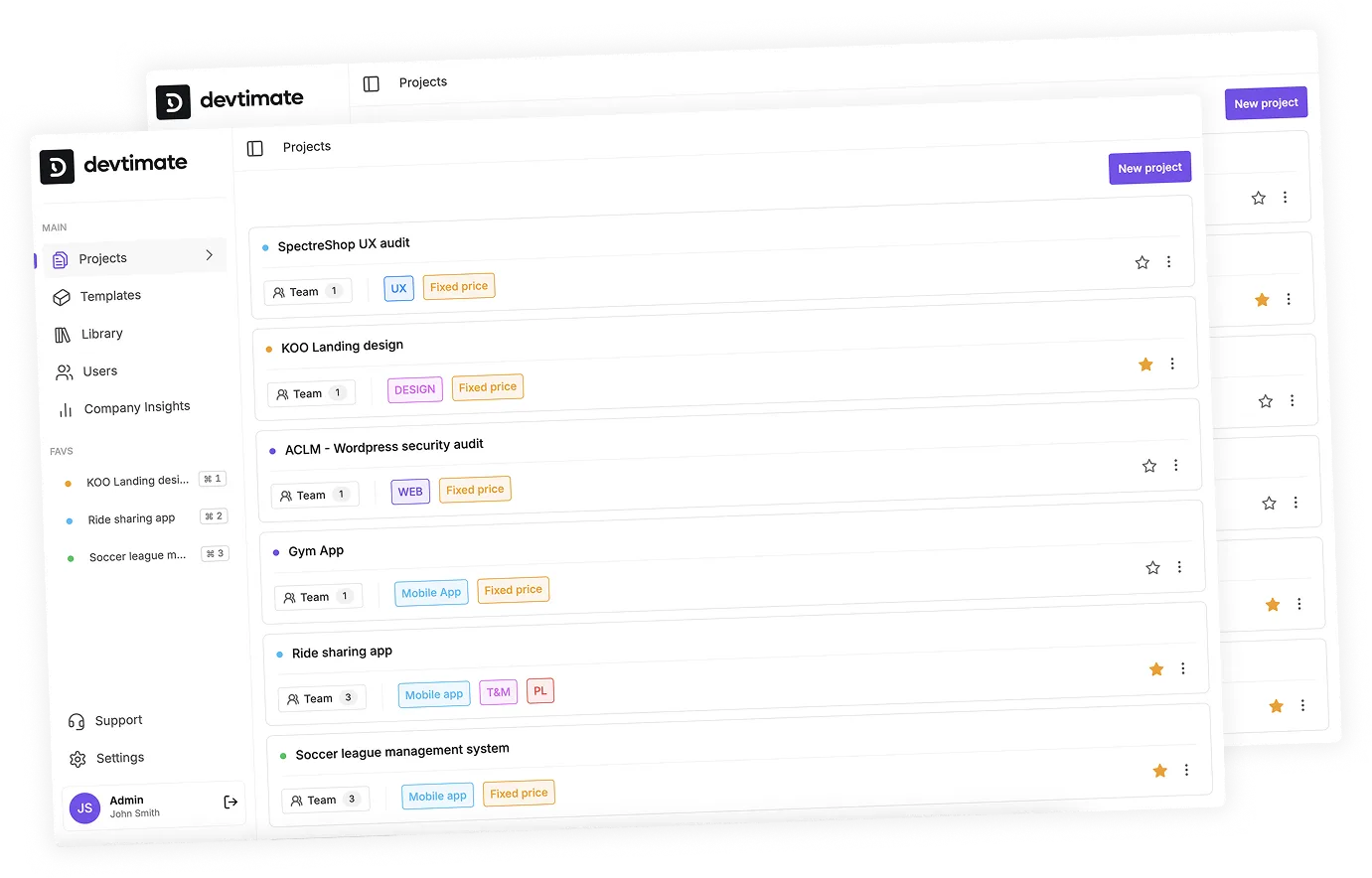
Estimating "build a dashboard" is guessing. Estimating "create chart component, connect API, add filters, write tests" is planning. devtimate enforces a module → task hierarchy so every hour estimate has a clear task behind it.

Assign roles to know who does what

Each task needs a role — frontend, backend, QA, DevOps. Without role assignment, you cannot calculate costs or plan team capacity. devtimate assigns roles per task so you see the full team picture before quoting.

Use min-max ranges to handle uncertainty honestly

A single-number estimate is a promise you cannot keep. Min-max hour ranges per task acknowledge real-world uncertainty. devtimate rolls these up into project-level ranges so clients see realistic timelines, not optimistic guesses.

The estimation process
step by step

Step 1: Gather and upload inputs

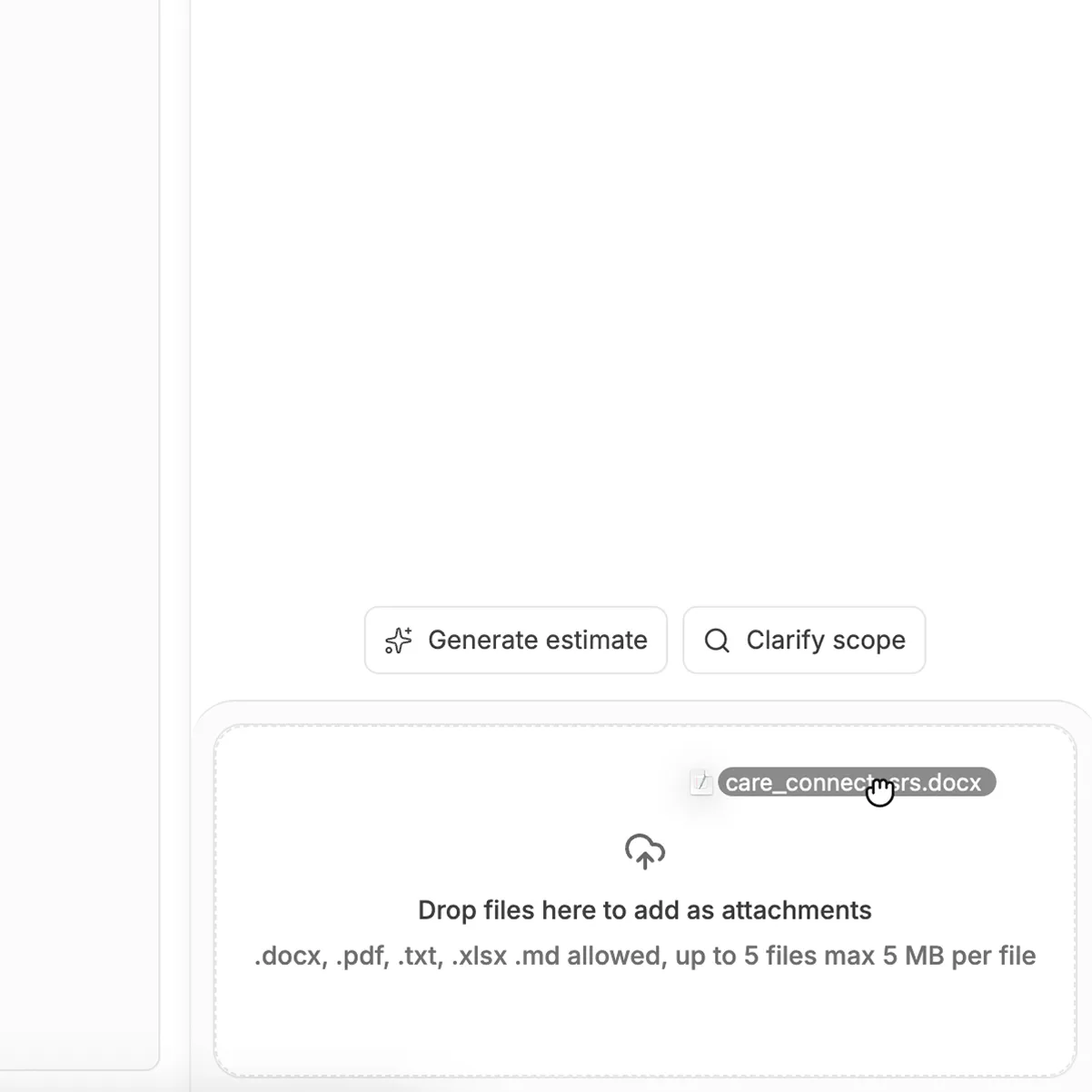
Collect everything the client sent — RFP, feature list, email thread, meeting notes. Upload it all into devtimate. AI reads every document and extracts features, integrations, and constraints. You can also type a brief manually.

PDFs & RFPs

Word & docs

Markdown notes

Plain text briefs

Step 1: Gather and upload inputs

Step 2: Generate the scope
with AI or build manually

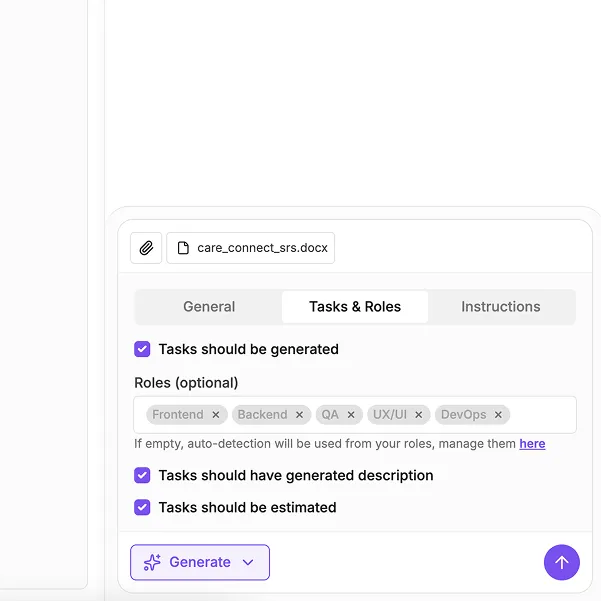
Let AI create the first draft — modules, tasks, roles, and hours — or build the structure yourself with drag-and-drop. Most teams use AI for the first pass and then adjust. The result is the same: a hierarchical scope with every task accounted for.

1

AI generates modules & tasks

2

Roles assigned per task

3

Min-max hours estimated

Step 2: Generate the scope 
with AI or build manually

Step 3: Review, adjust, and get team input

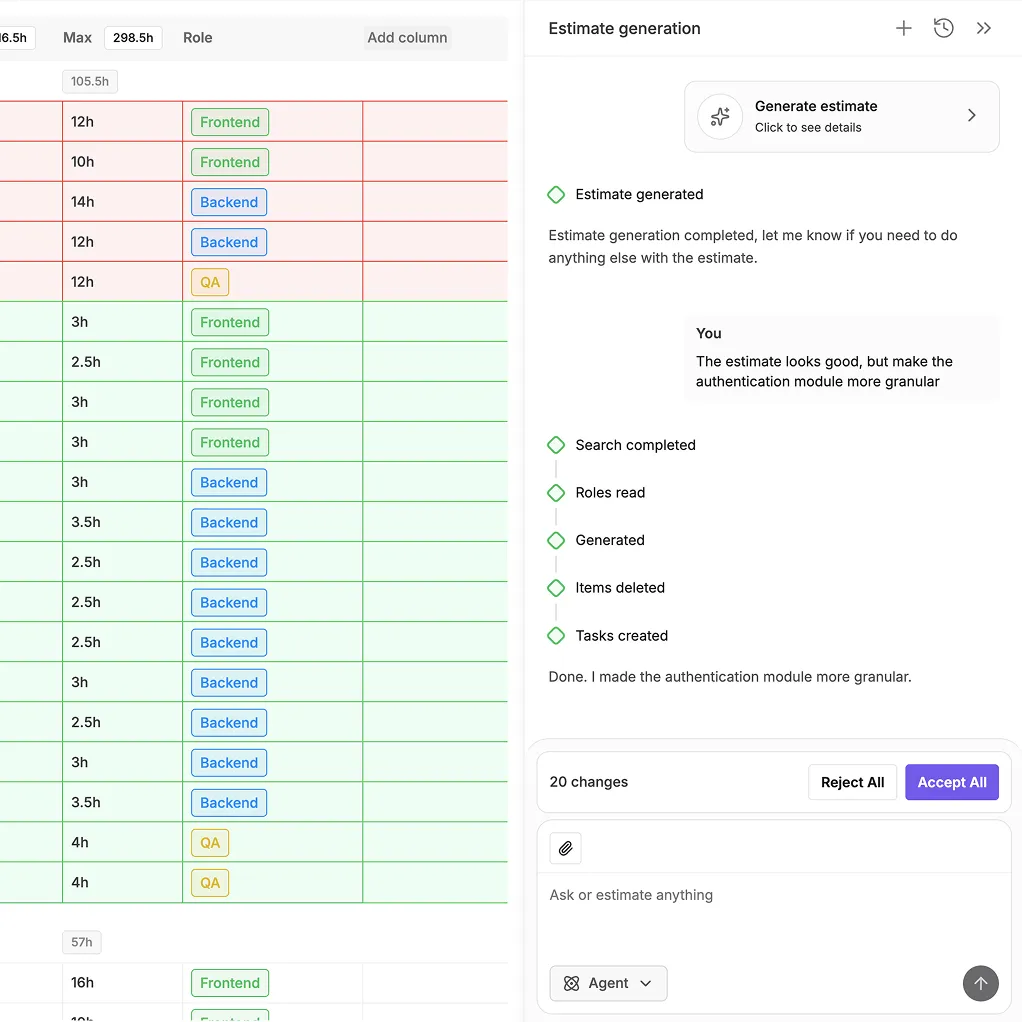
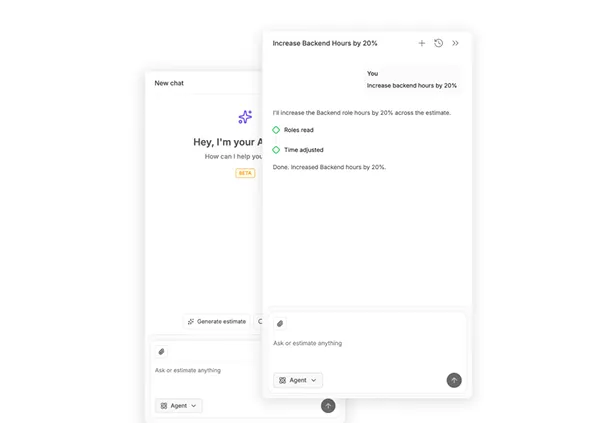
This is where your expertise matters. Review every task, adjust hours based on your experience, and use the AI Agent to make bulk changes fast.

Senior engineers validate the scope. Junior PMs learn from the structured output. Everyone works from the same baseline.

Bulk edits with AI Agent

Type "increase QA hours by 20%" and every QA task updates. No manual cell editing.

Approve each change

See what AI proposes before applying. Accept, reject, or modify individual suggestions.

Step 3: Review, adjust, and get team input

Step 4: Price, propose, and deliver

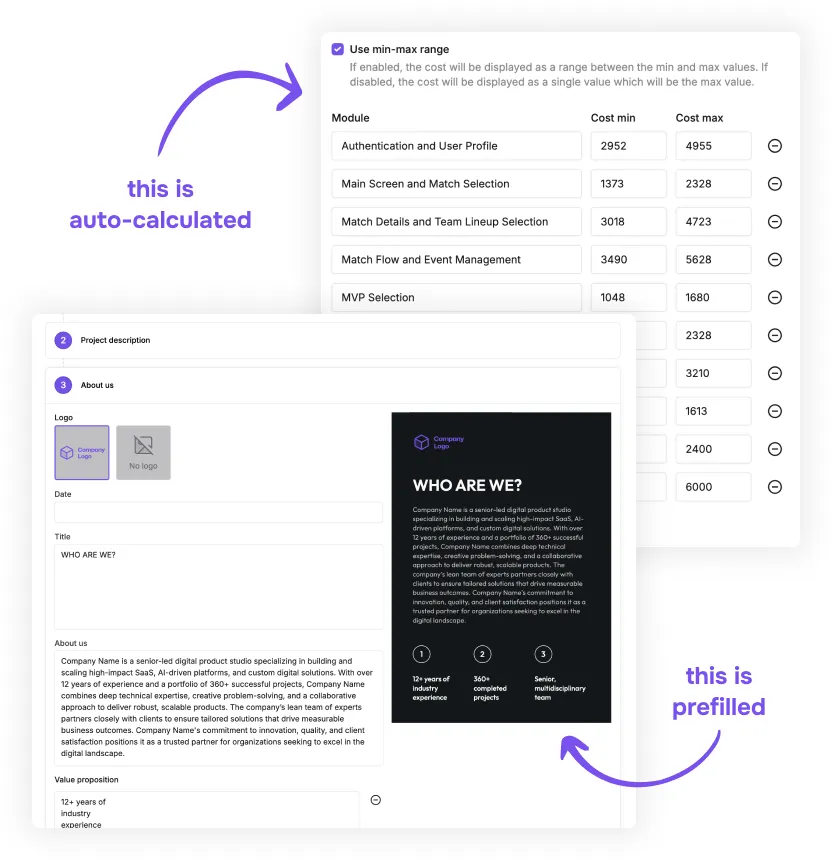
Apply your rate card to calculate costs. Generate a branded PDF proposal. Export tasks to Jira, Asana, or Excel to start delivery.

The estimate flows from scope → price → proposal → project plan without re-entering data.

Current integrations

Don’t see your integration?
Contact us - we’ll add it!

Step 4: Price, propose, and deliver

Without a process
estimates are just guesses

Start free for 14 days

Most teams skip the process and just guess

Without a clear process, estimation becomes "I think this is about 200 hours." No task breakdown, no role assignment, no documented assumptions. The estimate lives in someone's head — and falls apart the moment the client asks "what's included?"

Good estimates need structure, not just experience

Experience helps, but it is not a process. A structured workflow — break down → assign roles → estimate hours → review → price — produces estimates that are explainable, repeatable, and defensible. devtimate enforces this structure.

A repeatable process scales with your team

When the process is defined, anyone on the team can start an estimate. AI handles the first draft. Seniors review instead of building from scratch. New hires learn by seeing how estimates are structured. The quality stays consistent as the team grows.

Pricing for software
project
estimation tool

Try it free for 14 days. No credit card required.

Last chance to join as an early adopter!

Get special early adopter pricing and direct support from our team. We work closely with early users to shape the product.

14 DAYS TRIAL

TRIAL

for 14 days

What's included

Up to 10 users

Unlimited project estimates

Reusable templates and library

Branded proposals

AI-Powered Estimates

Access to AI Agent

Export to external tools

Try it now!

PRO

$180

per month

What's included

Up to 10 users

Unlimited project estimates

Reusable templates and library

Branded proposals

AI-Powered Estimates

Access to AI Agent

Export to external tools

Go Pro!

ENTERPRISE

from

$500

per month

What's included

Everything in Pro

Unlimited users

Self-hosted deployment option

Priority support

Private Slack channel for team

Priority in product roadmap

Data migration assistance

Live team onboarding

Contact us

Software project estimation
resources & guides

AI software cost estimation

AI software cost estimation

Calculate development costs with AI. Role-based pricing, budget breakdowns, and cost ranges for client proposals.

Estimation resources & guides

Estimation resources & guides

Best practices for project estimation, AI estimation tutorials, and scoping guides.

AI Agent for estimates

AI Agent for estimates

Modify project estimates with natural language. Add tasks, adjust hours, reorganize modules instantly.

FAQ about the
estimation process

Break the project into modules and tasks, assign a role to each task, estimate min-max hours per task, then roll up to a project total. This bottom-up approach is more accurate than top-down guessing because every number has a task behind it.

Tasks should be small enough to estimate confidently — usually 2–40 hours each. "Build dashboard" is too big. "Create chart component," "Connect data API," "Add date filters" are estimable. devtimate enforces this module → task hierarchy.

Use AI for the first draft — it is faster and catches tasks you might miss (testing, deployment, documentation). Then review manually. The best estimates combine AI speed with human judgment.

Document your assumptions explicitly. If the brief says "user management," assume standard scope (login, registration, roles, profiles) and note it. Min-max ranges handle the uncertainty. Share assumptions with the client to align expectations early.

Include every role that will work on the project — frontend, backend, QA, DevOps, designer, PM. Forgetting QA or DevOps is one of the most common estimation mistakes. devtimate prompts you to assign roles per task so nothing gets missed.

The task breakdown works for both. For agile, tasks map to user stories and export to Jira/Asana for sprint planning. For waterfall, group tasks into phases. devtimate supports both — the estimation structure is the same, only the delivery approach differs.

Use AI to create the first draft without pulling engineers. Then have seniors review for 15–30 minutes to catch edge cases and adjust hours. This saves 80% of engineering time compared to building the estimate from scratch.

This page explains the full estimation process — from gathering inputs to delivering proposals. The AI-generated estimates page focuses specifically on how the AI generation feature works and what it produces.

Let's talk!

If you have any questions, contact us.

We usually reply within the same day
or the next business day. Thank you!

Dashboard

Build your first estimate
in under 20 minutes

Upload requirements, generate scope with AI, review, and price.
14-day free trial, no credit card.

Try it now!